
Real case · PrestaShop
Kosmetica: multilingual search on a PrestaShop store without touching the theme.
Kosmetica is a Spanish cosmetics store. In May 2026 they installed the Findalo module on their PrestaShop — synced 63 products in under a second and started serving multilingual searches (ES + EN) the same day. Without rewriting the theme, without touching Smarty.
Verifiable metrics
Data extracted directly from the sync state on Findalo infrastructure, not reported manually. Platform: PrestaShop 8.x. Live since May 2026.
Visual find, live in production since October 2026
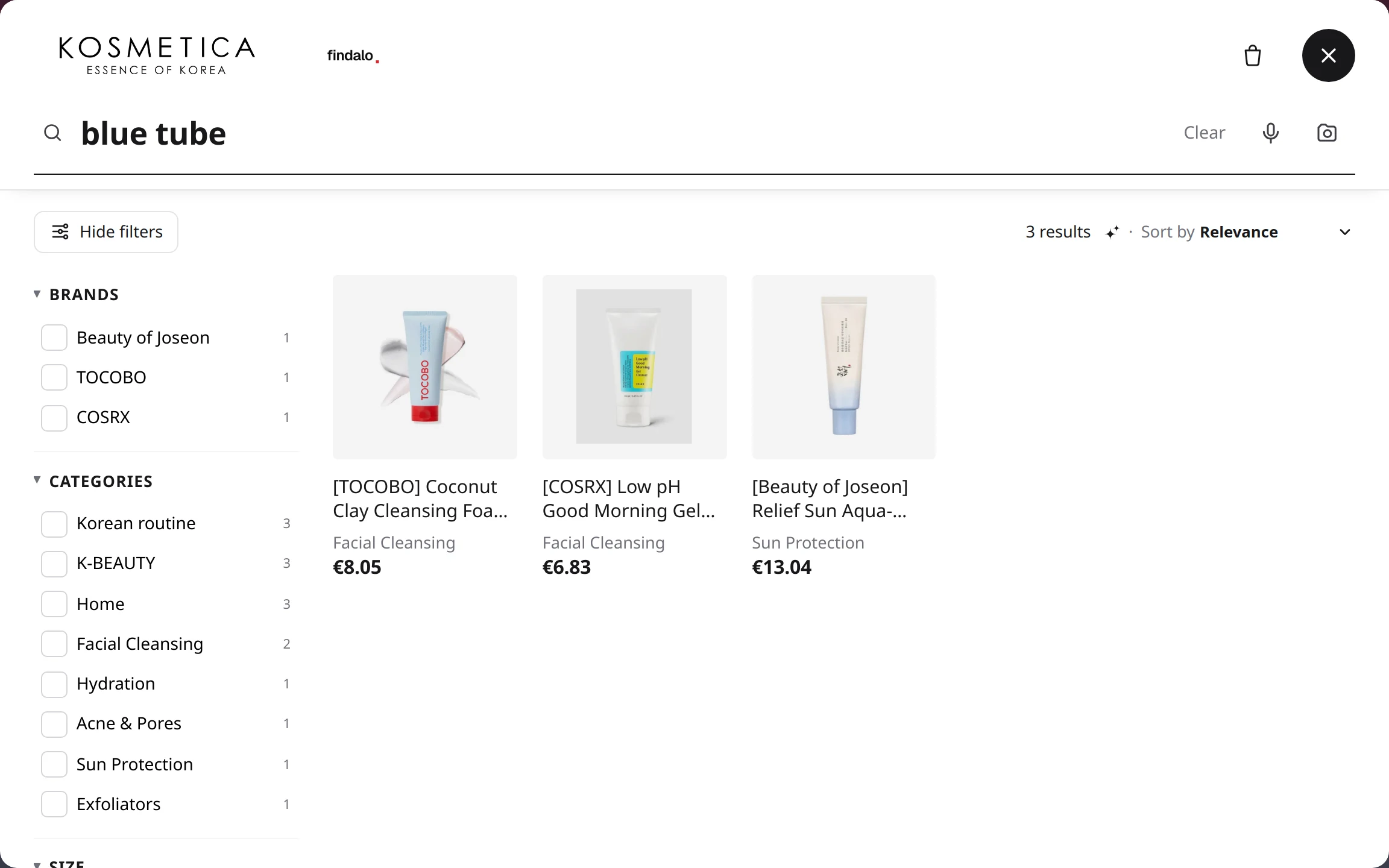
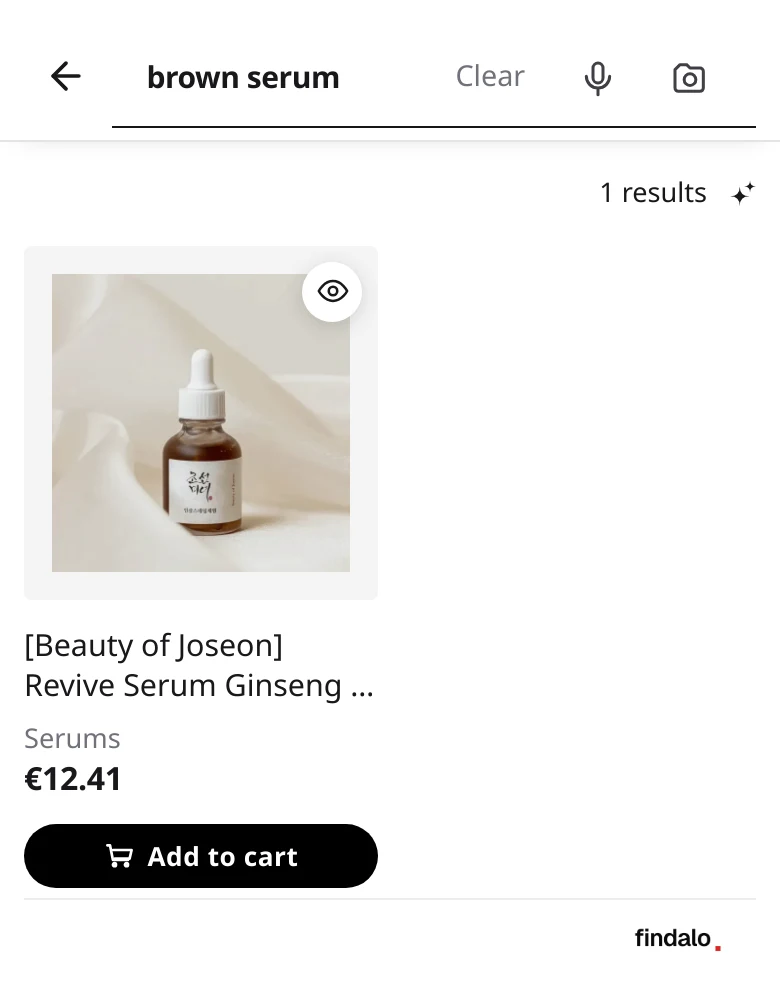
Kosmetica has visual find switched on: Findalo looks at each product photo and learns its color, shape and material, so "blue tube" or "brown serum" find the product even when the product sheet never says the color. Real captures of the search on kosmetica.es, taken on 14 October 2026.
What changed
Before
- PrestaShop's native search — exact match, no typo tolerance.
- Filters generated manually by category, no automatic facets.
- Search in Spanish only — EN customers shopped blind or bounced.
With Findalo
- Fuzzy search (Damerau-Levenshtein): "althea" finds "Althea" even when the shopper has a typo.
- Side filters generated automatically from brands, categories and catalog features.
- Searches in ES and EN served from the same install, no duplicated index.
- Automatic sync: when a product is edited in the BO, the index rebuilds in under 5 minutes.
What changed compared with native search
This is what verifiably changed when native PrestaShop search was replaced. We do not yet measure the effect on conversion: when we do, we will report it here with the figure in hand.
| Native search | With Findalo | |
|---|---|---|
| Languages served | 1 (ES) | 2 (ES + EN) |
| Typo tolerance | No | Yes |
Setup verified on the Kosmetica store · PrestaShop 8, catalogue synced in ES and EN.
The setup, step by step
- 1 · Module download
Log in to findalo.io → Integrations → download the ZIP. Time: ~30 seconds.
- 2 · Upload to the back office
PrestaShop BO → Modules → Upload a module → drag-drop the ZIP → Install. Time: ~2 minutes.
- 3 · Configuration
Search engine URL (findalo.io slug) + auto-generated feed token + theme search input selector (default covers PrestaShop Classic and Hummingbird). Time: ~3 minutes.
- 4 · First sync
Findalo's cron detected the active module and pulled the catalog: 63 products · 783 ms · 2 languages. Zero manual intervention.
- Total
Under 10 minutes from the decision "I'll give it a try" to the first search working on the storefront.
Why Findalo and not another SaaS search engine
- Zero cost to get started. 1-month free trial, no card, up to 200 products. For a catalog of 63 products it's a perfect fit — Kosmetica validates it with nothing charged during the trial, and decides before it ends.
- Predictable pricing at scale. When the trial ends or Kosmetica goes past 200 products, the next step is Starter (€15/month up to 1,000 products). Zero surprises — the customer knows the cost before growing, no unexpected bills from traffic spikes.
- Auditable open-source module. The PrestaShop module code is MIT-licensed — Kosmetica can audit it before pushing to production, or fork it if they need custom logic.
- Direct founder support. No ticket queues, no outsourced first line. Email hola@findalo.io and the person who wrote the code replies.
Running PrestaShop?
Setup in under 10 minutes, just like Kosmetica. 1-month free trial, no card; nothing is charged during the trial.
Another store that wants to be featured here? hola@findalo.io — we put the case together with you, no strings attached.